01 — Zent
Jaluzeaua ta, la un swipe distanță.
Zent motorizează jaluzeaua pe care o ai deja. O deschizi și o închizi din telefon, de oriunde.
01 — Zent
Zent motorizează jaluzeaua pe care o ai deja. O deschizi și o închizi din telefon, de oriunde.
02 — Swipe
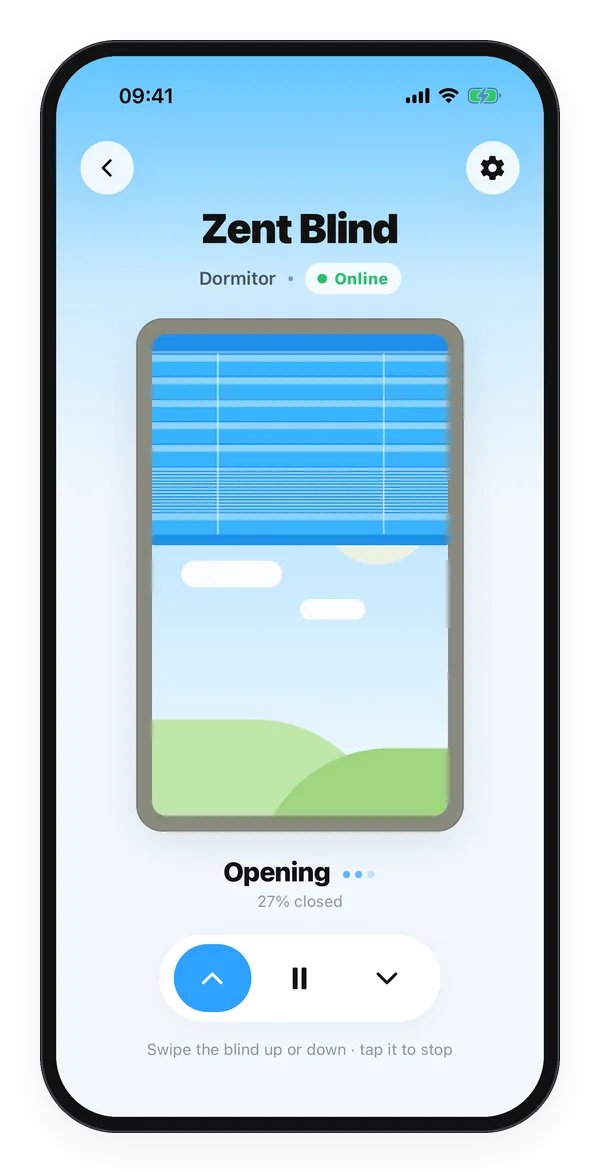
În aplicație tragi de jaluzea: în jos ca s-o închizi, în sus ca s-o deschizi, o atingere ca s-o oprești. Vezi în timp real cât de închisă e.
03 — Senzor de lumină
Placa Zent are un senzor de lumină care simte cât de luminos e afară, zi și noapte.
04 — Automat
Când se face ziuă, Zent ridică jaluzeaua pentru tine. Te trezești cu lumină naturală.
Pe jaluzeaua pe care o ai deja✦Din telefon✦Senzor de lumină✦Baterie USB-C✦
Ce face
Nu cumperi o jaluzea nouă. Zent motorizează jaluzeaua pe care o ai deja.
Swipe în sus sau în jos, o atingere ca s-o oprești. Merge de acasă, de la birou sau din concediu.
Simte lumina de afară și deschide jaluzeaua singură dimineața.
Fără fire până la priză. O încarci ca pe telefon, cu orice încărcător USB-C, și ține săptămâni.
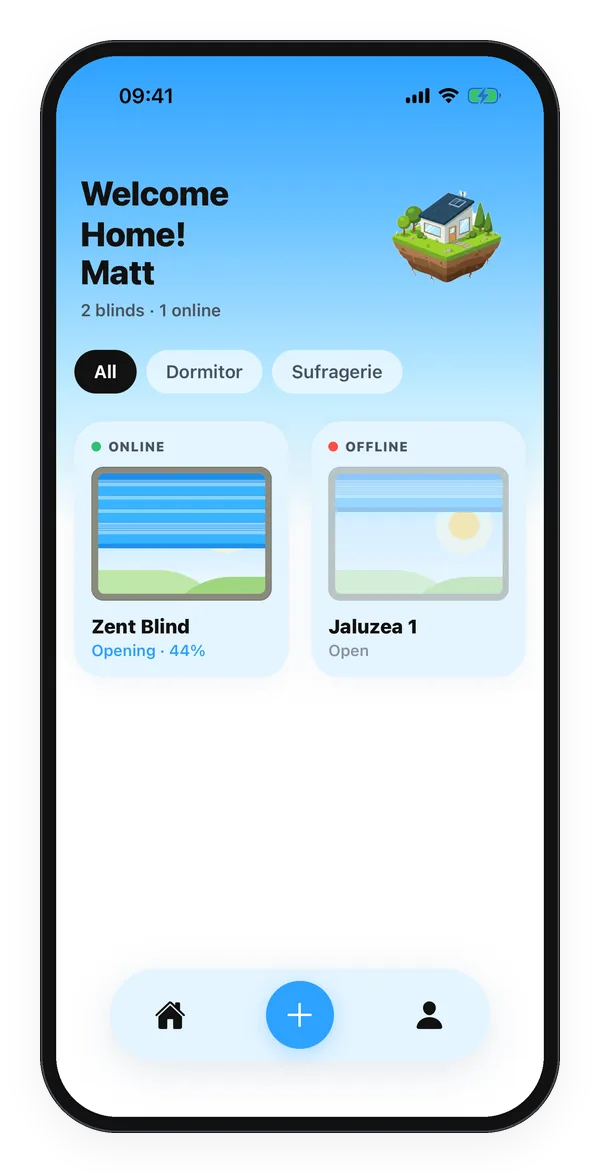
Vezi dacă e online, dacă urcă sau coboară și cât de închisă e, în procente.
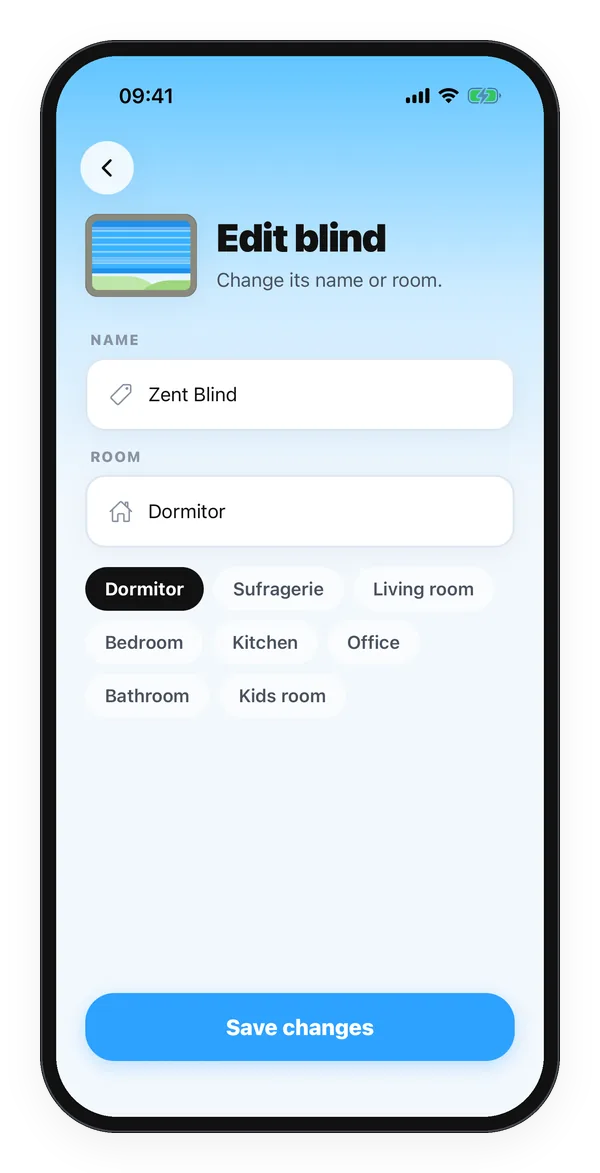
Grupezi jaluzelele pe camere și le găsești dintr-o atingere.
Funcțiile noi ajung prin Wi-Fi. Placa se actualizează singură, fără cablu.
Fiecare cont vede și comandă doar jaluzelele lui. Placa se identifică cu o cheie secretă.
50×34mm
Placa, cam cât o cutie de chibrituri
2000mAh
Baterie LiPo, reîncărcabilă prin USB-C
4ore
Pentru o încărcare completă
≈1s
De la swipe până pornește motorul
Hardware
Tot ce face Zent încape pe o placă de 50 × 34 mm.
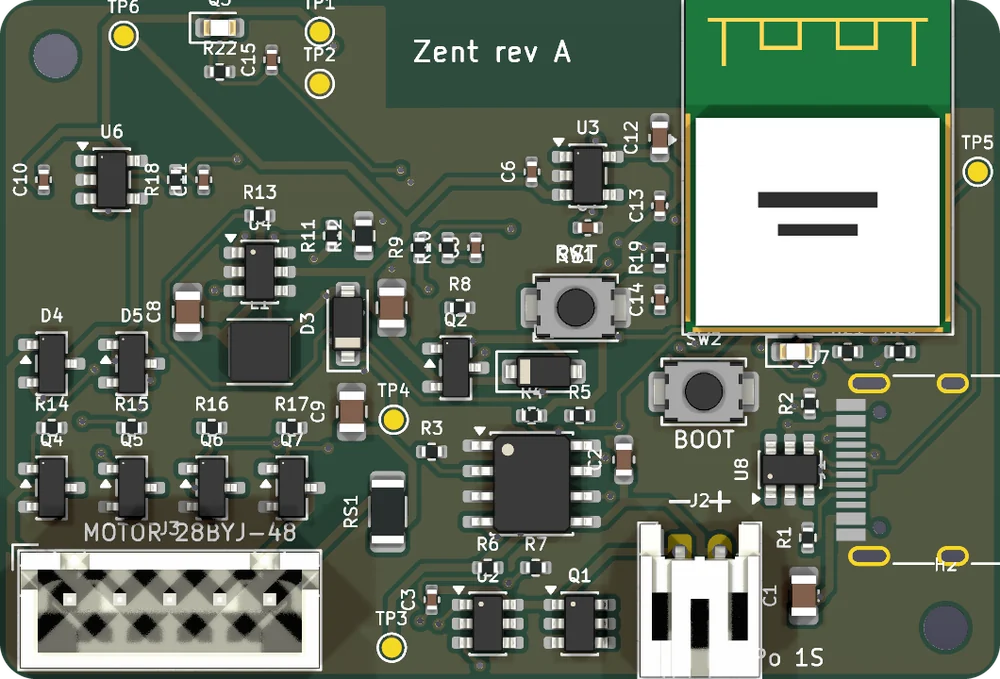
Wi-Fi și Bluetooth. Creierul plăcii.
Încarcă bateria cu orice încărcător, chiar și cu cel de laptop.
Simte cât de luminos e afară, ca jaluzeaua să știe când se face ziuă.
Motorul pas cu pas 28BYJ-48 se conectează direct. Nu consumă nimic când jaluzeaua stă.
LiPo de 2000 mAh, cu protecție la supraîncărcare, descărcare și scurtcircuit.
Măsoară cât curent trage motorul și cât mai are bateria.
Cum funcționează
Motorul se prinde de mecanismul jaluzelei, iar placa îl comandă. Fără fire până la priză.
Aplicația găsește jaluzeaua prin Bluetooth și îi trimite rețeaua ta Wi-Fi. Îi dai un nume și o pui într-o cameră.
Ții apăsat ▲ sau ▼ ca s-o miști și salvezi unde e complet deschisă și complet închisă. O singură dată.
De acum o deschizi și o închizi din telefon, de oriunde. Dimineața se deschide singură.
De la degetul tău până pornește motorul trece cam o secundă.
Aplicația
Aplicația Zent arată jaluzeaua exact cum e: lamelele coboară una câte una, în ritmul motorului. Pentru iPhone și Android.
În curând
Zent e în dezvoltare și pregătim primele plăci. Scrie-ne și afli primul când e gata. Răspundem și la întrebări.
zent.tech.office@gmail.com